School Admin Portal One Mobile App Teacher Access AR / EN / FR

One Smart Platform and One App for Your Entire School

Eduync connects admins, teachers, parents, and students in one modern school management system. Teachers, parents, and students use the same mobile app, and each user sees the right screens based on their role.

One
App for all users
3
Teacher, Parent, Student roles
99.9%
Uptime SLA
Modern school building and students
Modern School Platform Connect school operations, classrooms, parents, and students in one place.
Eduync Admin Dashboard
1,248
Students
87
Teachers
94%
Attendance
Recent Activity
ST
Student Login
Homework and grades opened
Student
TR
Teacher Login
Agenda added · Grade 7B
Teacher
PA
Parent Login
Message sent to school
Parent
Role-Based Access
One login system
One App
Teacher / Parent / Student

Schools are overwhelmed by outdated systems

Many schools still use separate tools for communication, attendance, agenda, grades, and parent updates. This creates confusion for admins, teachers, parents, and students.

Manual Communication

Phone calls, paper notes, and WhatsApp groups are hard to organize, track, and control.

Paper Agendas

Homework and daily agendas can be lost, forgotten, or never seen by parents.

Slow Attendance Tracking

Manual attendance takes time and does not notify parents instantly.

Unorganized Records

Student, teacher, class, subject, and parent records are often spread across different files.

Parents Left in the Dark

Parents may receive updates too late about absences, homework, grades, or school announcements.

Too Many Apps

Different apps for different users create confusion. Eduync solves this with one role-based app.

Everything your school needs in one connected platform

Eduync gives your school a powerful admin portal and one mobile app where teachers, parents, and students can all access their own features securely.

Admin Portal for Schools

Admins manage students, parents, teachers, classes, sections, subjects, attendance, packages, and school settings.

One App for All Roles

Teachers, parents, and students log into the same Eduync app. The app automatically opens the correct dashboard for each role.

Teacher Tools

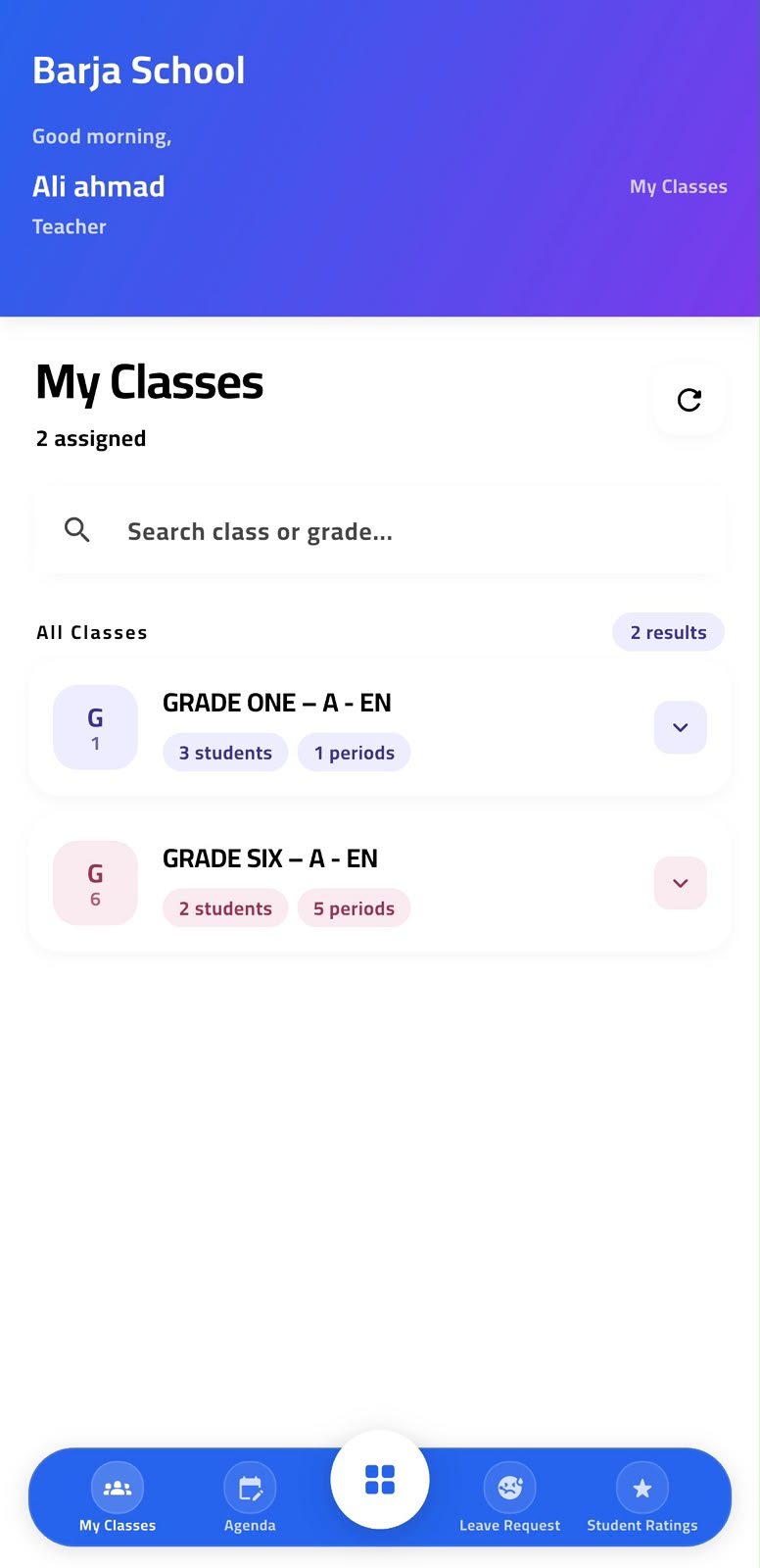
Teachers can view assigned classes, add agendas, upload attachments, mark attendance, rate students, and request leave.

Parent Access

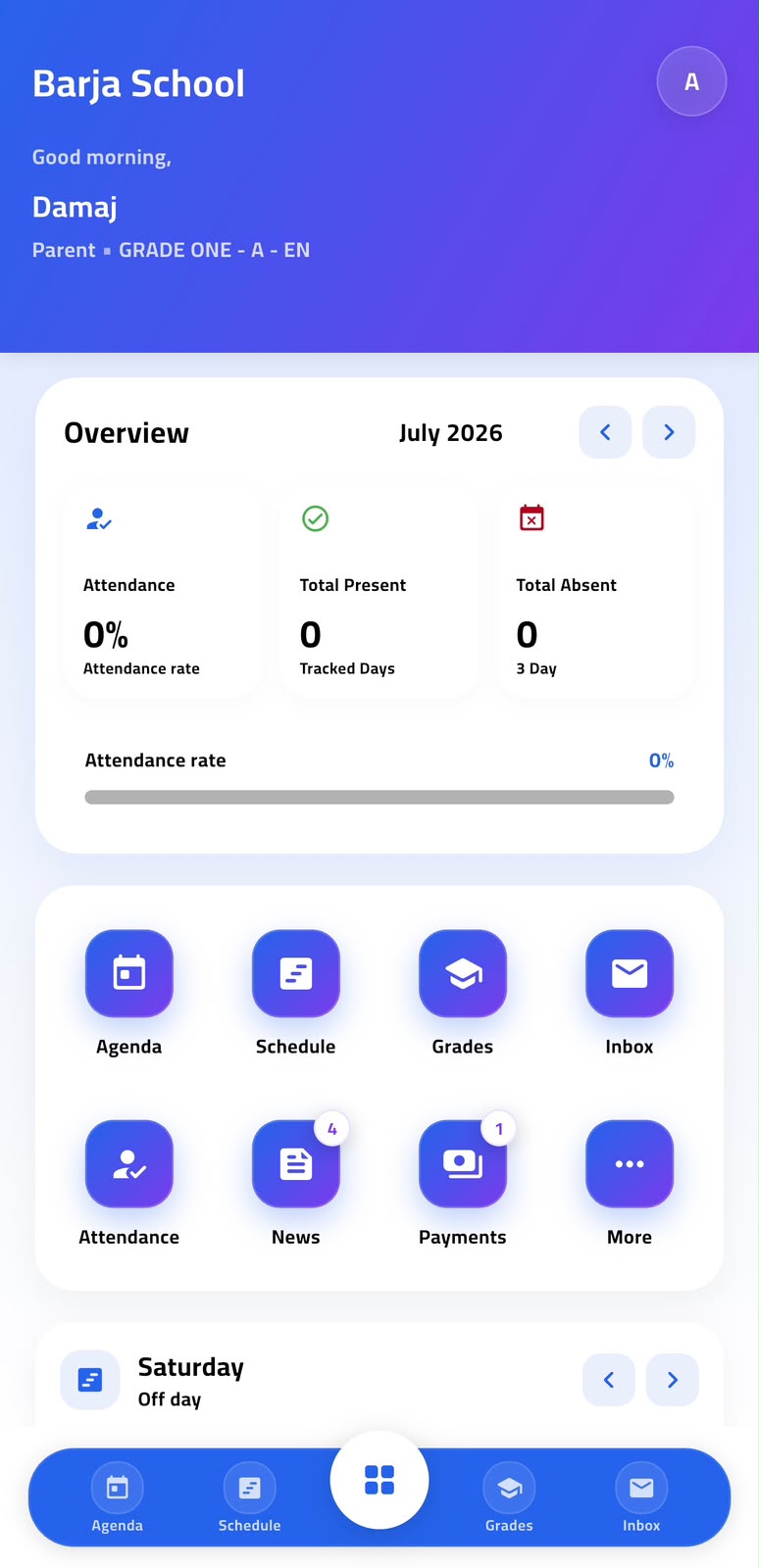
Parents can follow attendance, homework, grades, messages, ratings, announcements, and bus tracking when available.

Student Access

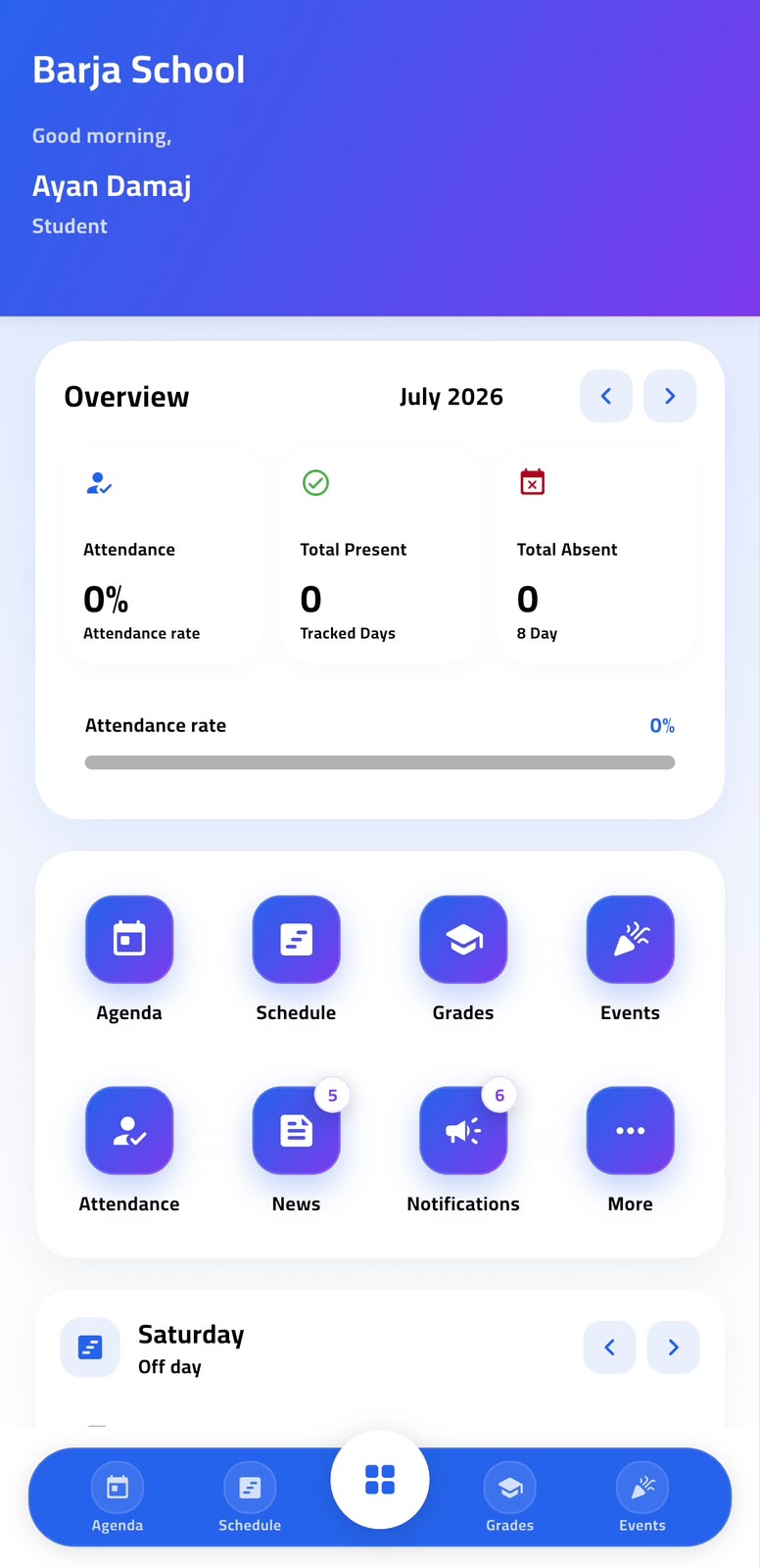
Students can view their agenda, homework, schedule, subjects, grades, school announcements, and learning updates.

Package-Based Control

Control which modules each school can use based on Basic, Standard, Premium, or Enterprise subscription packages.

A platform designed for real school daily work

Eduync supports the daily connection between the administration, teachers, students, and parents. From attendance to agendas, grades, messages, and announcements, every role gets a clear and simple experience.

School admins control students, classes, teachers, parents, and settings from one dashboard.
Teachers manage class activity, homework, attendance, ratings, and leave requests.
Parents receive updates about their children without depending on paper notes or scattered messages.
Students view schedules, homework, grades, announcements, and daily school updates.
Teacher and students in classroom
Classroom Teachers and students connected through daily updates.
Students learning together
Students Homework, schedule, grades, and announcements.
Teacher helping students
Teacher Tools Agenda, attendance, ratings, and class management.

Teachers, parents, and students access the same app

Instead of publishing separate apps for every role, Eduync uses one mobile app with secure role-based access. After login, the system detects whether the user is a teacher, parent, or student and shows the correct screens.

Teacher Mode

Assigned classes, subjects, periods, agenda, homework, attendance, ratings, and leave requests.

Parent Mode

Children overview, inbox, attendance, news, agenda, grades, announcements, and bus tracking.

Student Mode

Daily schedule, agenda, homework, grades, subjects, announcements, and school updates.

Welcome to Eduync Choose your role after login

Built for every role in your school

Integrated modules designed for admins, teachers, parents, and students.

School Dashboard

Real-time overview of school operations, users, attendance, messages, and activity.

One Mobile App

One app for teachers, parents, and students with role-based screens.

Teacher Access

Teachers manage assigned classes, subjects, agenda, attendance, and student ratings.

Parent Access

Parents follow attendance, homework, grades, messages, ratings, and notifications.

Student Access

Students view their agenda, homework, schedule, grades, subjects, and announcements.

Attendance

Digital attendance with instant updates for parents and school administrators.

Agenda & Homework

Teachers add class agenda, homework, notes, and optional attachments.

Inbox & Notifications

Two-way communication between school, teachers, parents, and students.

Student Ratings

Daily, weekly, and monthly academic and behavior ratings.

Teacher Leave Requests

Teachers request leave or sick leave and attach medical reports when needed.

Attachments

Upload files to agendas, reports, messages, and leave requests.

Class & Section Management

Manage grades, sections, subjects, teachers, students, and class periods.

Role Permissions

Control access for admin, teacher, parent, and student accounts.

UI Builder

Customize app screens, menu items, theme, colors, and school branding.

Multi-language

Supports English, Arabic RTL, and French for all main screens.

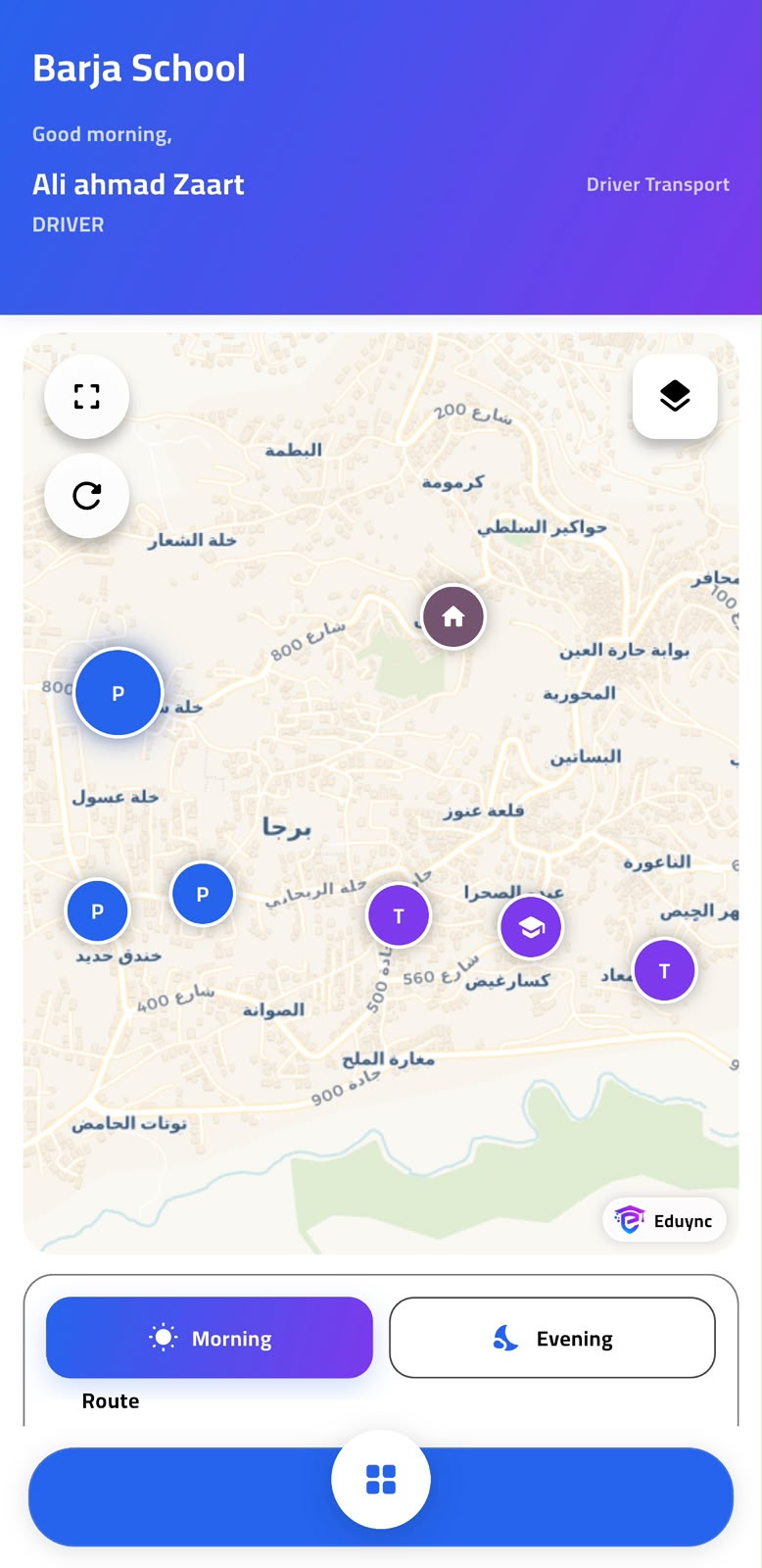
GPS Bus Tracking

Enterprise schools can allow parents to track buses and routes live.

Launch your school system in simple steps

Eduync is designed to make onboarding easy for admins, teachers, parents, and students.

1

Create School Account

Register your school and create the main admin account.

2

Choose a Package

Select Basic, Standard, Premium, or Enterprise.

3

Add School Data

Add classes, sections, subjects, teachers, students, and parents.

4

Generate User Access

Create login accounts for teachers, parents, and students.

5

Use One App

Each user logs into the same app and sees their own dashboard.

Packages for every school size

Every package supports the Eduync platform and one mobile app. Features are enabled based on the selected subscription.

Basic
Basic
For small schools starting digital management
$ 49 /mo
  • Up to 100 students
  • 1 admin user
  • One Eduync app access
  • Parent login access
  • Student login access
  • Basic teacher login access
  • Classes and sections
  • Basic attendance
  • Basic agenda
  • Student schedule
  • Grades overview
  • Multi-language AR / FR / EN
  • Email support
  • Agenda attachments
  • Student ratings
  • Teacher leave requests
Get Basic
Premium
Premium
For established schools that need advanced control
$ 279 /mo
  • Up to 1,500 students
  • Everything in Standard
  • Full teacher app mode
  • Full parent app mode
  • Full student app mode
  • Teacher leave requests
  • Sick leave attachments
  • Advanced student reports
  • Daily / weekly / monthly ratings
  • Custom school branding
  • Advanced role permissions
  • Priority support
Choose Premium
Enterprise
Enterprise
For large schools, school groups, and multi-branch networks
Custom
  • Unlimited students
  • Everything in Premium
  • Multi-branch support
  • One app for all branches
  • Teacher / parent / student access
  • GPS bus tracking
  • Bus route management
  • Parent live bus tracking
  • Advanced permissions
  • Dedicated account manager
  • Custom reports
  • Urgent support level
  • Optional custom-branded app
Contact Sales

Find the right plan for your school

Feature Basic Standard Premium Enterprise
Student limit 100 500 1,500 Unlimited
Storage 2GB 4GB 6GB 10GB+
One Eduync mobile app
Parent app mode
Student app mode
Teacher app mode
Agenda Basic With attachments With attachments With attachments
Attendance
Classes
Grades
Reports
Student ratings
Teacher leave requests
GPS bus tracking
Custom branding
Support level Basic Standard Priority Urgent
Support Time 7/7 12/7 18/7 24/7

One app, different dashboards

Teachers, parents, and students use the same Eduync app, but each role gets a different experience.

Role-Based Login
Login system One app
Teacher Allowed
Parent Allowed
Student Allowed
Teacher Dashboard
TODAY'S CLASSES
08:00 – Math 8A Done
09:30 – Science 7B Now
11:00 – Math 6C Next
Parent Dashboard
Attendance today Present
New messages 3
Homework due 2 tasks
Recent notification
Math homework added by teacher
Student Dashboard
Today schedule 6 periods
Homework 2 pending
Last grade 92%
School trip announcement available
Student Rating
WEEKLY OVERVIEW
Behavior 4.8
Participation 4.2
Homework 3.9
Admin Dashboard
1,248
Students
94%
Attendance
Leave requests 3 pending
Active classes 42
Package Builder
FEATURE TOGGLES
Parent Mode
Teacher Mode
Student Mode
GPS Tracking

Built for modern schools

Eduync helps schools reduce manual work and give every user a simple digital experience.

"Eduync transformed how we communicate with parents. Attendance notifications and homework updates are now instant."

LA
Layla Al-Amin
School Principal

"The teacher mode is simple. I can add homework, mark attendance, and rate students from the same app."

MR
Mohammed Rachid
Math Teacher

"Parents and students no longer need different apps. One Eduync app gives each user exactly what they need."

KS
Khaled Saleh
School Group Manager

Common questions answered

Do teachers, parents, and students use the same app?
Yes. Eduync uses one mobile app for teachers, parents, and students. After login, the system checks the user role and opens the correct dashboard and permissions.
Can each school have its own separate account?
Yes. Eduync is a multi-school SaaS platform. Each school has its own isolated data, users, settings, package, and admin panel.
Can we control features by package?
Yes. The Package Builder allows you to enable or disable modules per package such as attendance, ratings, teacher access, attachments, GPS tracking, and more.
Does Eduync support Arabic and French?
Yes. Eduync supports English, Arabic with RTL layout, and French. Users can switch language from the app or dashboard.
Can teachers add agenda entries and attachments?
Yes. Teachers can create agenda entries by class and subject, add homework descriptions, and upload optional files such as PDFs, images, or documents.
Can parents track the school bus?
GPS bus tracking is available in the Enterprise package. Parents can view live bus location and receive notifications when the bus is near their stop.
Can schools customize the app branding?
Yes. Premium and Enterprise packages support custom school branding, including logo, colors, menu visibility, and UI customization.

Ready to launch one smart app for your school?

Give admins, teachers, parents, and students a connected experience through Eduync.